Free Age Calculator - Calculate Your Exact Age
Enter your date of birth to instantly find your exact age in years, months, days, hours, minutes, and seconds. 100% accurate, no registration required.
Age Calculator: Calculate Your Exact Age by Date of Birth
✍️ By Zain Uddin | 📅 Updated: November 2026 | ⏱️ 4 min read
Knowing your exact age can be useful for many everyday situations, from checking birthday milestones to completing school forms, job applications, and personal records. Our free online Age Calculator helps you find the time between your date of birth and today's date without manually counting years, months, and days. Simply enter your date of birth to see your age in years, months, days, hours, minutes, and seconds. The calculator also accounts for different month lengths and leap years when calculating calendar-based age. Whether you want to check your current age or find out how many days you have lived, this tool provides an easy way to get the information you need.
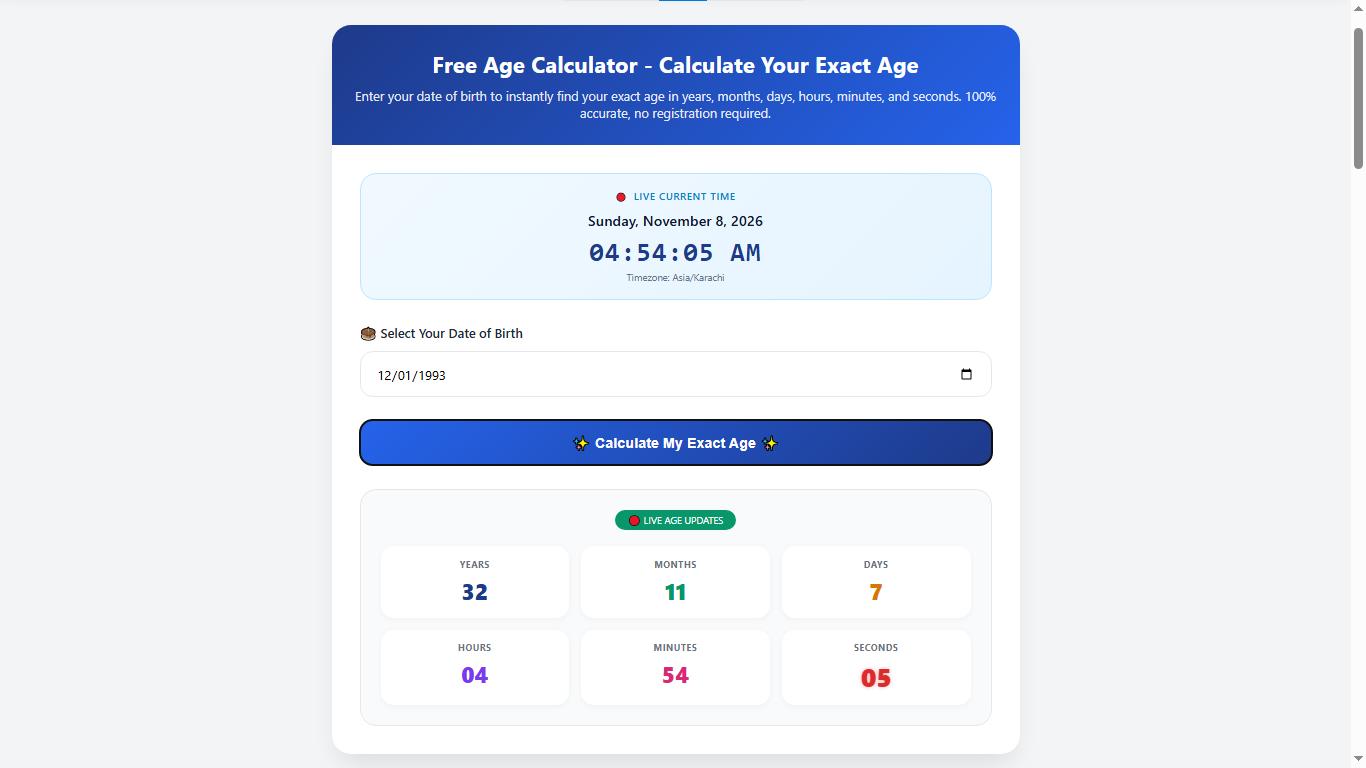
Screenshot: Free Age Calculator showing exact age result
📝 How to Use the Age Calculator (3 Easy Steps)
Follow these three simple steps to calculate your exact age online:
Step 1: Enter Your Date of Birth
Select your birth date using the date picker at the top of the page. Enter your birth year, month, and day. The calculator supports dates from 1900 up to the present day.

Step 2: Click "Calculate My Exact Age"
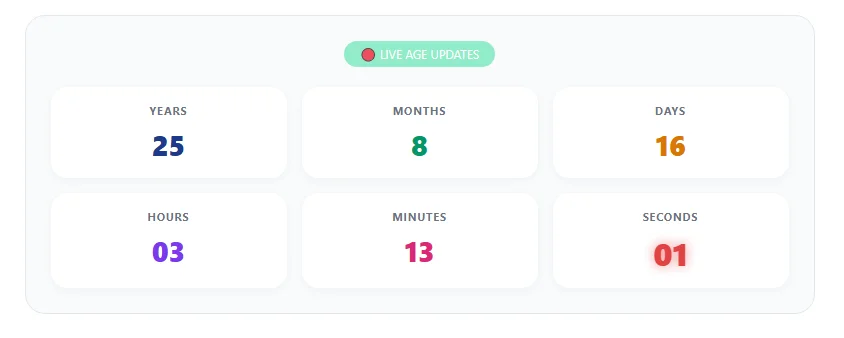
After entering your date of birth, click the Calculate My Exact Age button. Your result will show your age in years, months, days, hours, minutes, and seconds.

Step 3: View Your Live Age
Your age in seconds updates live, allowing you to see how the time you have lived changes. You can use this feature to explore your age and celebrate personal milestones.
🎂 Calculate Your Exact Age Now – Free
Get years, months, days, hours, minutes & seconds — instantly.
👉 Use Age Calculator Free🧬 Different Types of Age Calculators
Age can be calculated in different ways depending on the information you need. Some calculators find your age from your date of birth, while others focus on health, child development, or retirement planning. Here are some common types of age calculators:
- Standard Age Calculator: Calculates your chronological age from your date of birth in years, months, and days. It is useful for everyday age checks and personal records.
- Adjusted Age Calculator / Corrected Age Calculator: Helps estimate the developmental age of a baby born prematurely. Parents and healthcare professionals may use adjusted age when following early developmental milestones.
- Biological Age Calculator: Estimates biological age using selected lifestyle and health-related factors. The result is an estimate and does not replace a medical assessment.
- Metabolic Age Calculator: Compares your estimated basal metabolic rate (BMR) with average values for different age groups. Results can vary depending on the method used.
- Pearson Chronological Age Calculator: Refers to age calculations used in some educational and clinical assessment settings, where a person's chronological age may be needed when interpreting assessment results.
- ASQ Age Calculator: Helps determine a child's age for the Ages & Stages Questionnaires (ASQ), which are used as part of developmental screening.
- Menopause Age Calculator: Provides an estimated menopause age based on selected personal or family-history factors. It cannot predict the exact age of menopause.
- School Age Calculator: Helps parents check a child's age against school admission or grade eligibility requirements and the school's cutoff date.
- Retirement Age Calculator: Estimates when a person may reach retirement age based on their date of birth and the applicable retirement rules.
📊 How to Calculate Age in Excel (Formula)
You can also calculate someone's age using Microsoft Excel or Google Sheets. If you have a date of birth in a spreadsheet, the DATEDIF function can help you find the difference between that date and today's date in years, months, and days.
Enter the date of birth in cell A1, then use this formula:
The formula uses A1 as the date-of-birth cell and TODAY() to get the current date automatically. The result displays the difference in years, months, and days. Make sure the date in A1 is entered in a format that Excel or Google Sheets recognizes.
❓ Frequently Asked Questions
Q1: How is my exact age calculated?
Your age is calculated by comparing your date of birth with today's date. The result is shown in years, months, and days rather than simply dividing the total number of days by 365. Calendar month lengths and leap years can affect the result.
Q2: Can I use this calculator for job or exam eligibility?
Yes. You can use the calculator to check your age against the eligibility requirements for a job, exam, or admission. Make sure to calculate your age on the official closing date and check the relevant advertisement for age limits, relaxations, and other conditions.
Q3: Can I calculate my age in years, months, and days?
Yes. Enter your date of birth and use the calculator to view your age in years, months, days, hours, minutes, and seconds. This makes it easier to understand how much time has passed since your birth.
Q4: Does the calculator store my date of birth?
This calculator uses your date of birth to calculate your age. For details about how information is handled on this website, please read our Privacy Policy.
🏁 Conclusion
Calculating your age does not have to be complicated. With this free online Age Calculator, you can find the time between your date of birth and today in years, months, days, hours, minutes, and seconds. Whether you are checking your age for personal records, planning a birthday milestone, or reviewing an age requirement, this tool makes the process simple and convenient.
🎂 Calculate Your Age Now – Free
🔗 Share This Tool
Found this helpful? Share the Age Calculator with your friends and family!

About the Author: Zain Uddin
Founder, FreeOnlineTools203.com | Web Developer & SEO Expert
Hi, I'm Zain Uddin. I built FreeOnlineTools203.com to offer 240+ free online tools across 18 categories. With over 3 years of experience in web development, SEO, and freelancing (Fiverr), I personally build and test every tool to ensure it works perfectly for you.