Free Image Compressor – Reduce Image Size Online
Large image files can take up storage space, take longer to upload, and affect website loading times. An image compressor helps reduce file size while keeping the image visually clear. Our free online Image Compressor provides options to compress supported JPG, JPEG, PNG, and WEBP images. You can adjust the available settings, compare the original and compressed file sizes, and download the optimized results. Whether you are preparing pictures for a website, email, online form, or social media, this guide explains how image compression works and how to get better results.
📚 Table of Contents
📌 1. What Is an Image Compressor?
An image compressor is a tool that reduces the file size of a picture so it becomes easier to upload, share, and store. Image files can contain a large amount of visual data, especially when they have high resolutions or detailed photographs. Compression reduces some of this data to create a smaller file.
Image compression can be useful for website owners, bloggers, students, online sellers, and anyone who regularly works with digital pictures. Depending on the format and compression settings, you can reduce file size while keeping an acceptable level of visual quality.
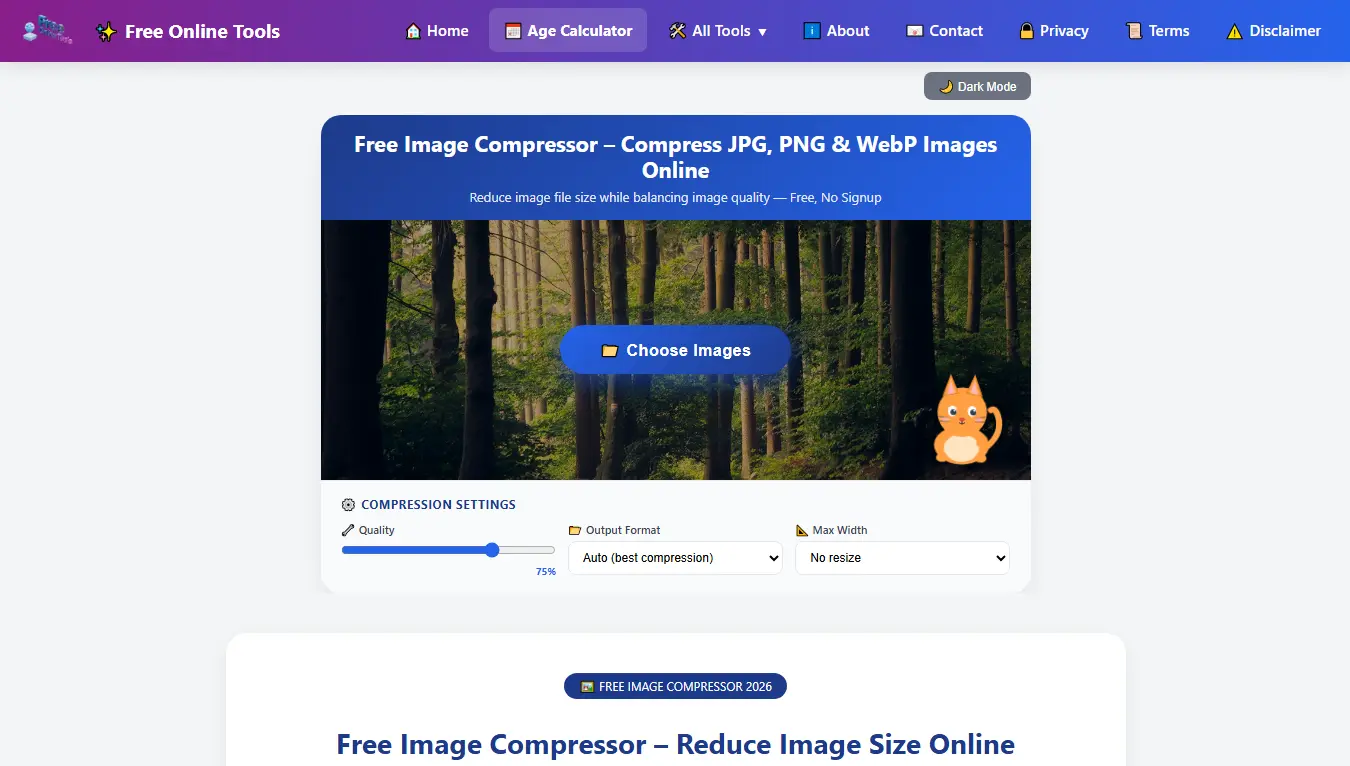
Screenshot: Free Online Image Compressor tool
🎯 2. How to Compress Images to Specific Sizes
Many websites, online application forms, and email services set limits on the size of uploaded images. For example, a form may accept images up to 200KB, while another service may require a much smaller file. Choosing the right image size can help you meet these upload requirements.
- 200KB: A useful target for websites and online forms that allow moderately sized images.
- 100KB: Can be suitable for smaller website images and profile pictures when the platform allows this size.
- 50KB: A smaller target for forms or services with stricter image upload limits.
- 20KB: A very small file-size target that may require reducing image dimensions and compression quality.
- 1MB: Can be useful when you need to reduce a larger photograph while retaining more image detail.
- 2MB: A possible target for reducing larger images before sharing, uploading, or storing them.
To reach your desired file size, upload an image and adjust the available compression or resizing settings. Check the resulting file size and preview the image before downloading it. The final size depends on the original image, its dimensions, format, and compression settings. A particular quality setting cannot guarantee the same file size for every image.
🎮 3. Image Compression for Discord and WebP
Compress Images for Discord
Large screenshots, photographs, and graphics can be difficult to share when they exceed a platform's upload limit. Compressing an image before uploading can make the file smaller and easier to share. Always check the current file-size requirements of the platform and your account.
What Is WebP Compression?
WebP is an image format developed for efficient web delivery. It supports lossy and lossless compression, transparency, and animation. Depending on the original image and settings, converting a JPG or PNG image to WebP may reduce its file size while maintaining suitable visual quality.
WebP can be useful for website images because smaller files may require less data to download. However, always preview converted images to make sure their appearance is suitable for your needs.
⚙️ 4. Key Features of Our Image Compressor
Here are some of the options available in the Image Compressor tool:
- Multiple Image Formats: Work with supported JPG, JPEG, PNG, and WEBP image files.
- Adjustable Quality: Use the quality setting to balance file size and visual appearance.
- Output Format Options: Select an available output format such as JPEG or WEBP.
- Image Resizing: Reduce image dimensions using the available maximum-width settings.
- Multiple File Processing: Select multiple images together when using the bulk-upload feature.
- File Size Comparison: Review the original and compressed file sizes to understand the reduction.
- Download Options: Save the compressed images using the available download controls.
- Mobile-Friendly Interface: Access the tool from supported desktop and mobile browsers.
📝 5. How to Use the Image Compressor
Follow these steps to reduce the size of your images. The available settings may vary depending on the selected file and output format.
🟦 Step 1: Upload Your Image
Click the Choose Images button and select a supported image from your phone or computer. If available, you can also drag and drop files into the upload area.
Supported formats: JPG, JPEG, PNG, and WEBP.
File limit: Check the maximum file size displayed by the tool.
🟦 Step 2: Adjust Compression Settings
After uploading an image, review the available settings. You may be able to adjust:
- Quality: Lower quality settings can produce smaller files, but may also reduce image detail.
- Output Format: Choose an available format such as JPEG or WEBP.
- Maximum Width: Reduce image dimensions when the original picture is larger than you need.
💡 Try different settings and preview the result before downloading.
🟦 Step 3: Review the Results
Once compression is complete, review the result information displayed by the tool:
- Original image file size.
- Compressed image file size.
- Percentage of file-size reduction, when available.
- Number of images processed, when using multiple files.
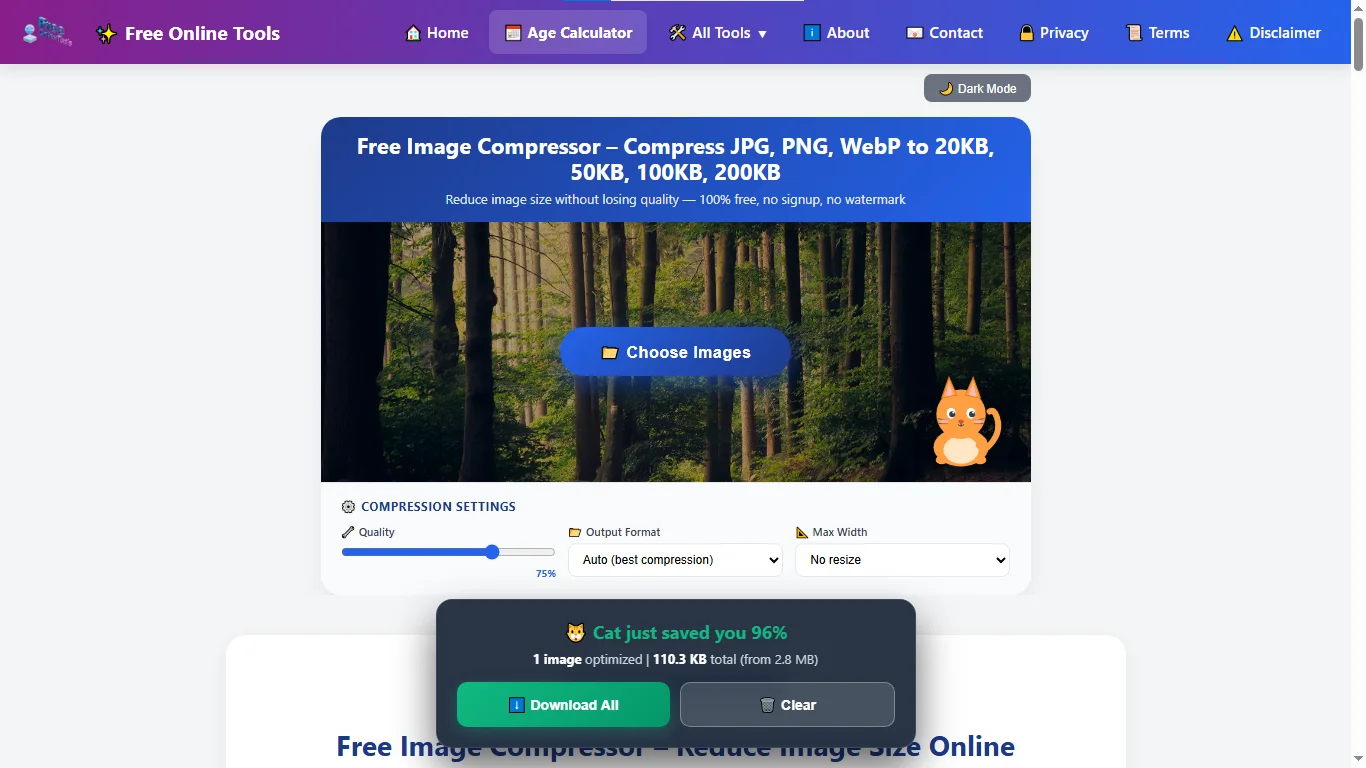
Real example: An image reduced from 2.8 MB to 110.3 KB, saving approximately 96% of its original file size.
🟦 Step 4: Download Your Images
When you are satisfied with the result, use the available download button to save your compressed image. If you processed multiple images, use the bulk download option when available. Keep your original files until you have checked the downloaded versions.
⚡ Quick Reference: Choosing Compression Settings
| Your Goal | Suggested Approach |
|---|---|
| Smaller file size | Reduce quality gradually and check the result. |
| Better visual quality | Use a higher quality setting. |
| Smaller dimensions | Reduce the maximum image width. |
| Website images | Consider WEBP and suitable dimensions. |
| Email attachments | Choose a file size within the recipient's limit. |
| Very small target sizes | Try reducing both quality and dimensions. |
🔧 Troubleshooting: Common Problems
Check that your image uses a supported format and does not exceed the file-size limit shown by the tool.
The original image may already be optimized. Try reducing its dimensions or adjusting the quality setting.
Excessive compression can remove image detail. Try a higher quality setting or use larger output dimensions.
Check your browser's download permissions and make sure downloads are not being blocked.
🖼️ Compress Your Images Now – Free
Reduce image file sizes, adjust available settings, and download your optimized images.
👉 Use Image Compressor Free💼 6. Common Uses of Image Compression
1. Email Attachments
Large images can make email attachments difficult to send, especially when a mailbox has a file-size limit. Compressing pictures before attaching them can help reduce their size. Always check the attachment limit of your email provider.
2. Social Media and Messaging
Photos, screenshots, and graphics are commonly shared through social media and messaging platforms. Smaller image files can be quicker to upload and easier to share, although each platform has its own supported formats and size requirements.
3. Website Performance
Large images can increase the amount of data a webpage needs to load. Optimizing image dimensions and file sizes can help reduce page weight and improve loading performance. Image compression is one part of website optimization, alongside caching, efficient code, and other performance improvements.
4. Online Stores
Online shops often display several product photographs on a single page. Optimizing these images can help reduce unnecessary file sizes while keeping product details clear for customers.
5. High-Resolution Photographs
High-resolution pictures may have large dimensions and file sizes. If you do not need the original dimensions, resizing the image before or during compression can help reduce its storage requirements.
⭐ 7. Online Image Compressor vs. WordPress Plugins
There are different ways to optimize images for a website. Online image compressors allow users to prepare individual pictures before uploading them. WordPress image optimization plugins, on the other hand, can integrate with a website's media library and may automate image optimization as files are added.
An online tool can be convenient when you only need to compress a few images or prepare files for use on different platforms. A WordPress plugin may be more suitable for website owners who regularly upload large numbers of images and want an integrated workflow.
The right choice depends on how many images you work with, the features you need, and whether you prefer manual or automated optimization.
❓ 8. Frequently Asked Questions
Upload your image, adjust the available quality and resizing settings, and check the resulting file size. You may need to try different settings because the final size depends on the original image.
Start by reducing the image dimensions if appropriate, then adjust the compression quality. Preview the result and check whether it meets your required file-size limit.
Use the quality and resizing options to reduce the file size. The result will vary depending on the image format, dimensions, and original content.
A 20KB target is possible for some images, but it may require smaller dimensions or stronger compression. Very small file sizes can affect visual quality.
The tool supports JPG, JPEG, PNG, and WEBP files. Check the upload area for the formats currently accepted by the tool.
JPG is a widely supported format commonly used for photographs. WEBP is a modern web image format that supports lossy and lossless compression. The best choice depends on image quality, file size, and compatibility needs.
Lossy compression can reduce image detail, especially at lower quality settings. Lossless compression reduces file size without discarding image information, although the amount of reduction may be smaller.
If bulk upload is available, you can select multiple supported images and process them together. Follow the upload limits displayed by the tool.
Yes, you can open the online tool in a supported mobile browser. Select an image from your device, adjust the available settings, and download the result.
You can use the Image Compressor without creating an account. Check the tool page for its current features and usage limits.
Reducing image file sizes can lower the amount of data a webpage needs to load. This may help improve loading performance, especially on pages containing large images.
🎯 9. Tips for Better Image Compression
- Choose the right format: JPEG is commonly used for photographs, PNG can be useful for graphics with transparency, and WEBP is another option for web images.
- Resize when necessary: Avoid using unnecessarily large dimensions when a smaller image will work for your intended purpose.
- Preview before downloading: Check the compressed image for blur, unwanted artifacts, or loss of important details.
- Balance quality and file size: Very aggressive compression can make images look poor. Choose settings that meet your file-size requirements without sacrificing too much quality.
- Keep original copies: Save your original images before compressing them so you can return to the full-quality version whenever needed.
- Check upload requirements: Review the maximum file size, image dimensions, and supported formats of the website where you plan to upload the image.
🏁 10. Conclusion
Image compression is a practical way to reduce file sizes and prepare pictures for websites, email attachments, online forms, and social media. The right combination of image format, dimensions, and quality settings can help you create smaller files while keeping an acceptable visual appearance.
Our Free Online Image Compressor makes it easier to adjust supported images and review the compression results before downloading. Try different settings to find a suitable balance between file size and image quality for your needs.
🖼️ Compress Your Images Now – Free

About the Author: Zain Uddin
Founder, FreeOnlineTools203.com | Web Developer & SEO Expert
Hi, I'm Zain Uddin. I built FreeOnlineTools203.com to offer 240+ free online tools across 18 different categories. With over 3 years of hands-on experience in web development, SEO, and freelancing (Fiverr), I personally build and test every single tool on this site to make sure it works perfectly for you. I'm also a published author on Amazon Kindle (KDP).
Expertise: Calculator tools, SEO, article writing, translation, graphics design.
📩 Get More Free Tools!
Subscribe to get notified when we launch new tools. No spam, unsubscribe anytime.
🔒 We respect your privacy. No spam ever.